
Your video title gets people curious but your thumbnail makes them click.
On YouTube, where thousands of videos compete for attention, a powerful thumbnail can make all the difference between a viral hit and a video no one watches.
That’s where YouTube thumbnail makers come in.
They help you design eye catching, professional thumbnails even if you have zero graphic design skills.
Let’s begin by understanding what makes a great thumbnail.
What Makes a Great YouTube Thumbnail
Your thumbnail is the visual headline of your video. A good one should instantly tell the viewer what the video is about and make them want to click.
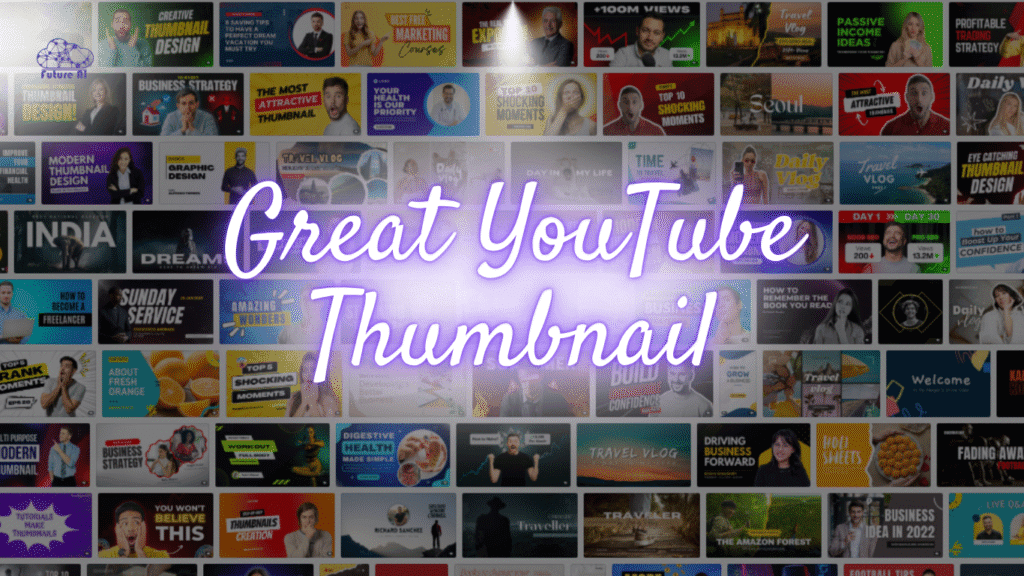
Here’s what every great thumbnail includes:
1. Right Size and Dimensions
YouTube recommends 1280×720 pixels with a 16:9 aspect ratio and under 2MB. A clear, properly sized thumbnail prevents blurry or cropped visuals.
2. Strong Visual Focus
Make one thing the center of attention like a face, an object, or text. Too many elements confuse viewers.
3. Readable Text
Use short, bold words in big fonts. Avoid fancy fonts that are hard to read on mobile screens.
4. Bright Colors and Contrast
High contrast helps your thumbnail pop among others in the feed. Use bright backgrounds, clean fonts, and colors that match your brand.
5. Branding Consistency
Keep a uniform color palette, logo placement, and style across your channel.
This helps viewers recognize your content instantly.
Design smarter, not harder

See if Hotpot AI is your next design secret weapon!
Pro Tip: Research shows that videos with custom thumbnails get up to 30% higher click through rates than videos with auto-generated ones.
Create best to get best,
Design Like a Pro with Zero Effort using Picsart AI Best YouTube Thumbnail Makers in 2025
Let’s look at the top tools that make thumbnail creation easy for everyone from beginners to professional designers.
| Tool Name | Free Plan | Ease of Use | Templates | YouTube Integration | Best For |
| ThumbnailCreator.com | ✅ Yes | ⭐⭐⭐⭐⭐ | ✅ Many | ✅ Yes | Beginners & creators |
| Canva | ✅ Yes | ⭐⭐⭐⭐ | ✅ Huge | ❌ | General design work |
| Adobe Express | ✅ Yes | ⭐⭐⭐ | ✅ Moderate | ❌ | Branding pros |
| Fotor | ✅ Yes | ⭐⭐⭐⭐ | ✅ Good | ❌ | Quick edits |
| Snappa | ✅ Yes | ⭐⭐⭐⭐ | ✅ Medium | ❌ | Small businesses |
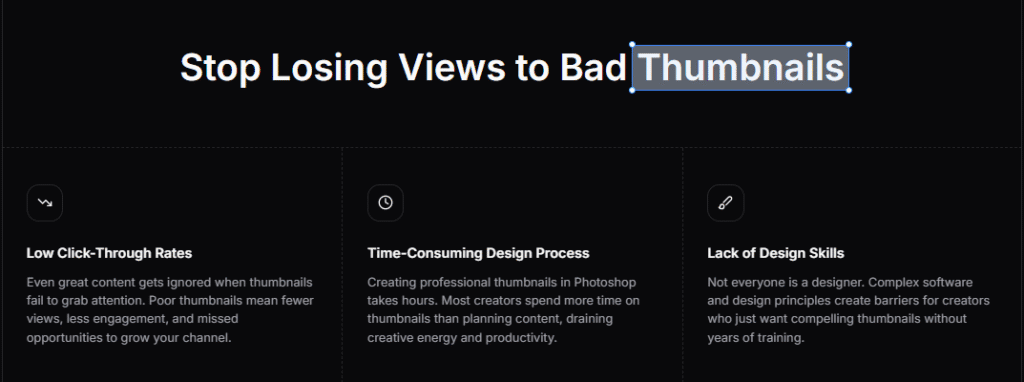
Now let’s focus on the platform that’s gaining attention among creators.. ThumbnailCreator.
ThumbnailCreator Review: How It Works
What Is ThumbnailCreator?
ThumbnailCreator.com is a dedicated YouTube thumbnail maker that helps you design attractive thumbnails online fastly and without needing design skills.

It offers pre-made templates, drag-and-drop editing, and YouTube-specific presets.
Meet Your New Secret Weapon PromeAI

 AI design tailored for visual storytellers.
Main Features
- Ready-to-use YouTube templates
- Drag-and-drop editor simple even for beginners
- Customizable fonts, colors, and backgrounds
- Instant YouTube thumbnail download
- 100% web-based as no installation needed
- AI suggestions for colors and layouts
Pros
- Easy to use for first time creators
- Optimized for YouTube dimensions
- Saves time as provide readymade templates are ready to go
- Free version available
Cons
- Limited offline use (web-only)
- Fewer design elements than Canva
ThumbnailCreator Pricing
Most features are available for free. Paid upgrades unlock more templates, premium images, and export options.
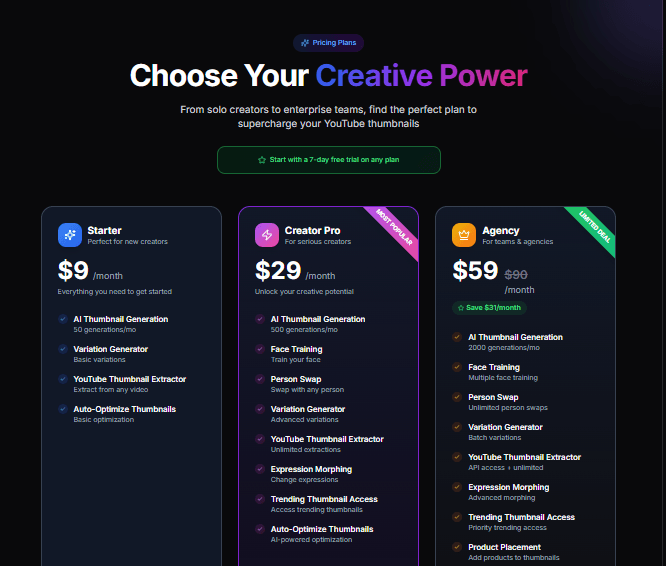
If your main goal is to create YouTube ready thumbnails quickly, ThumbnailCreator is one of the best and simplest tools you can use in 2025.
 Add life and personality to your videos instantly.

Turn Any Photo into a Talking Avatar with DreamFace AI
ThumbnailCreator vs Other Popular Tools
| Feature | ThumbnailCreator | Canva | Adobe Express | Fotor |
| YouTube Templates | ✅ Optimized | ✅ Many | ✅ Moderate | ✅ Good |
| Ease of Use | ⭐⭐⭐⭐⭐ | ⭐⭐⭐⭐ | ⭐⭐⭐ | ⭐⭐⭐⭐ |
| Free Plan | ✅ Yes | ✅ Yes | ✅ Yes | ✅ Yes |
| Exports in YouTube Size | ✅ Always | ⚠️ Manual setup | ⚠️ Manual | ✅ |
| AI Help | ✅ Yes | ⚠️ Limited | ⚠️ Limited | ❌ No |
| Best For | YouTubers | Designers | Agencies | Quick users |
- Choose ThumbnailCreator if you want speed and simplicity.
- Choose Canva if you need more design flexibility.
- Choose Adobe Express for advanced brand projects
How to Create a YouTube Thumbnail Using ThumbnailCreator
Let’s make your first YouTube thumbnail in four easy steps:
Step 1: Visit ThumbnailCreator.com
Go to ThumbnailCreator.com. You can start designing instantly and no download required.

Step 2: Choose a Template
Select a ready made template or start from scratch with a blank canvas sized perfectly for YouTube (1280×720).
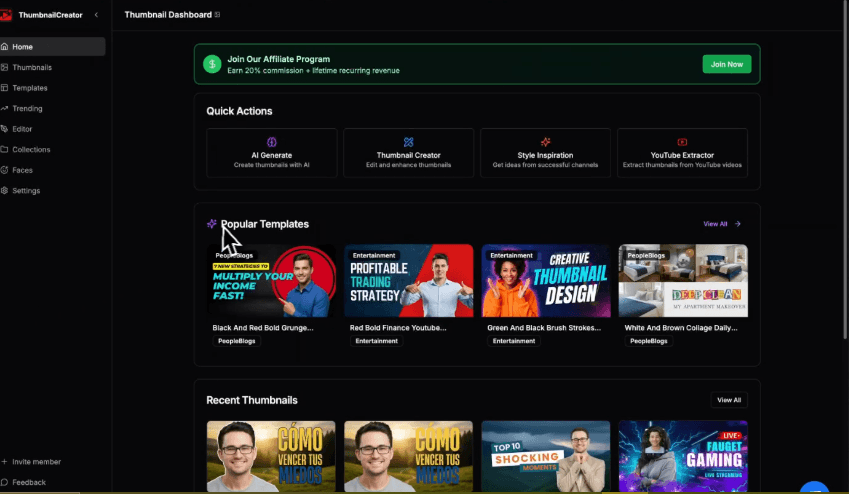
Step 3: Customize Your Thumbnail
- Upload your image or choose one from the free stock gallery
- Add your video title text
- Adjust fonts, colors, and layout
- Use contrast and brightness tools to make it pop
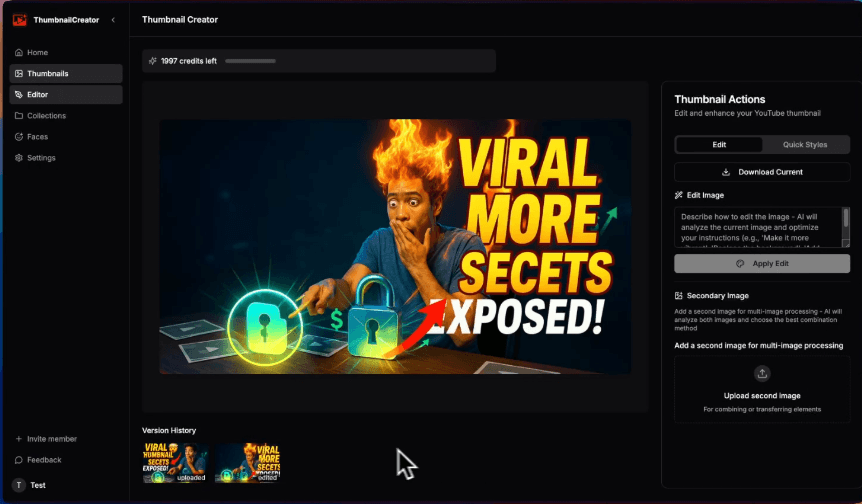
Step 4: Export and Upload
Click Download, save it as JPG or PNG, and upload it to your YouTube video.
That’s it, your professional looking thumbnail is ready.
Bonus Tip: Add a close-up face and high-contrast background. This simple change often boosts CTR instantly.
How to Choose the Right YouTube Thumbnail Maker
When picking a tool, ask yourself:
| Question | Why It Matters |
| Do you want speed or creative freedom? | Some tools are faster; others give you more control. |
| Do you prefer free or premium? | Free tools like ThumbnailCreator offer great basics. |
| Do you need templates for other platforms too? | Canva or Adobe Express may suit you better. |
| Do you work solo or in a team? | Team collaboration is easier on Canva or Fotor. |
Tip: If you’re new to YouTube or managing your own channel, start with a free tool like ThumbnailCreator. Upgrade only when you need brand customization or advanced assets.
Real-World Example
A small gaming YouTuber switched from auto-generated thumbnails to using ThumbnailCreator templates.
Within a month, their click-through rate jumped by 40% as simply because their thumbnails looked cleaner, brighter, and more professional.

Common Mistakes to Avoid in YouTube Thumbnails
| Mistake | Why It Hurts Performance |
| Using too much text | Hard to read on mobile |
| Low contrast colors | Thumbnail gets lost in feed |
| Misleading image | Viewers lose trust |
| No facial expression | Less emotional pull |
| Inconsistent style | Hurts channel branding |
FAQ: YouTube Thumbnail Maker Questions
Q1. What is the ideal YouTube thumbnail size?
1280×720 pixels, with a 16:9 ratio and under 2MB.
Q2. Can I make thumbnails without design experience?
Yes. Tools like ThumbnailCreator are made for beginners as no design background needed.
Q3. Are free thumbnail makers good enough?
Yes, free tools like ThumbnailCreator or Canva’s free plan are great for most users.
Q4. Can I use these tools for other social media platforms?
Yes. You can resize thumbnails for Instagram, TikTok, or Facebook posts.
Q5. How can I test which thumbnail performs better?
Try uploading two versions over time and monitor which one gets higher CTR in YouTube Analytics.
Conclusion: Create Thumbnails That Make People Click
Your thumbnail is your first impression and sometimes your only one.
With tools like ThumbnailCreator.com, you can design professional, eye-catching thumbnails in minutes, without hiring a designer.
Remember:
- Keep it simple and readable
- Use strong contrast and consistent branding
- Test and track your results
Now it’s your turn
Try ThumbnailCreator today, make your next thumbnail stand out, and watch your YouTube clicks rise.