
If you’re looking for an InVideo AI alternative, you’re definitely not alone. InVideo AI is a popular tool for making videos quickly using AI, templates, and script-to-video automation. But it doesn’t always fit everyone’s needs.
Some people want more customization, some want stronger AI generation features, and some simply want something cheaper or even free.
Maybe you’re a beginner who wants something easier.
Maybe you’re a small business owner who needs more professional visuals.
Or maybe you’re a creator looking for better storytelling tools.
Whatever your reason, this guide is here to help you find the right InVideo AI alternative for your style and workflow. We’ll break down the best tools, who they are best for, how they compare to InVideo, and how to choose the one that fits your needs perfectly.
Let’s start from the beginning.
Why Do People Look for an InVideo AI Alternative?
InVideo AI is great in many ways:
- It has text-to-video automation
- It provides templates for multiple content types
- It’s accessible to beginners
However, users often complain about:
1. Pricing
Some people want strong video tools, but InVideo’s pricing can feel high, especially for students and freelancers. Even the free tier has limitations like watermarks and fewer features.
2. Repetitive Templates
If you create many videos, you may start noticing your content all looks similar. This is especially an issue for TikTok, Reels, YouTube Shorts, and branded video ads.
3. Rendering and Performance
During busy hours, video processing and exporting can slow down.
4. Limited AI Advanced Creativity
If you’re expecting full AI-generated visuals or creative scene building, InVideo AI is not as advanced as some newer AI models.
5. Customization Limits
Not everyone wants to stick to template-driven design.
This means:
The best alternative depends on what you feel InVideo is missing.
So the aim is not just to show you “better tools.”
It’s to show you the right tools for your goals, whether you are:
- A YouTuber
- A business owner
- A social media creator
- A teacher or student
- A freelancer making client projects
Let’s begin with quick comparison.
Quick Comparison Table (Fast Decision)
| Tool | Best For | Free Plan | Key Strength | Difficulty Level |
| Pictory AI | Turning long text/scripts into videos | Yes | Text-to-video automation | Easy |
| Canva Video Editor | Beginners and marketers | Yes | Beautiful templates, brand-focused | Very Easy |
| Veed.io | Subtitles, editing, polished social posts | Yes | Clean UI + subtitle automation | Easy |
| Kapwing | Team collaboration & meme-style edits | Yes | Browser-based, fast workflow | Easy |
| FlexClip | Quick promo ads & slideshow videos | Yes | Business-focused templates | Easy |
| Runway ML Gen-2 | AI video scene generation | Limited | Creative AI visuals from prompts | Intermediate |
| Descript | Editing videos by editing text | Yes | Strong for podcasts & talking videos | Moderate |
| Adobe Express | Professional visuals with simplicity | Yes | Clean layouts + brand kits | Easy |
| Wave.video | Ads & marketing campaigns | Yes | Social ad templates & resize tools | Easy |
| Clipchamp | Beginners wanting a free editor | Yes | Simple exporting and timeline editing | Very Easy |
The 10 Best InVideo AI Alternatives (Detailed Reviews)
Below is the full explanation of each tool: who it’s best for, what it does differently, and how pricing compares.
1. Pictory AI
Best for: Turning text or blog posts into videos quickly
Pictory AI is one of the strongest alternatives if your main goal is to convert scripts, articles, or long-form text into videos. It automatically generates visuals, voiceovers, and scenes based on your written content.
Why It’s a Good InVideo Alternative:
- Stronger text-to-video accuracy
- Better summarization for long content
- Great for YouTube Shorts, training videos, and online courses
Key Features:
- Script-to-video automation
- Stock visuals and music library included
- AI voiceover narrator voices
- Auto-captioning
Pros:
- Fast and simple UI
- Great for repurposing blog posts into YouTube videos
Cons:
- Less creative control for custom animations
Free Plan: Yes (with limitations)
Paid Plan: Starts low to mid-range
2. Canva Video Editor + AI
Best for: Beginners, social media marketers, small businesses
Canva is already known for graphic design, but its video editor has grown powerful and includes AI tools like script writing, scene styling, and brand identity presets.
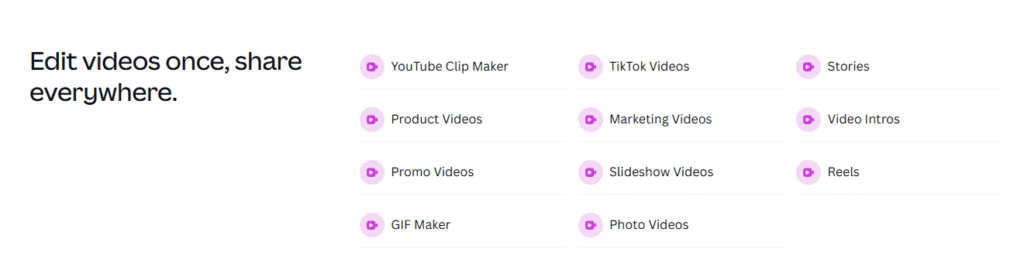
If you found InVideo’s templates repetitive, Canva is a strong upgrade.
Key Features:
- Thousands of free video templates
- Drag-and-drop timeline editor
- AI voiceovers and script generator
- Brand kits for consistent design
Pros:
- Extremely beginner-friendly
- No steep learning curve
- Great for business branding
Cons:
- Advanced editing control is limited vs professional tools
Free Plan: Yes
Paid Plan: Affordable monthly or yearly
3. Veed.io
Best for: Social media content creators and professionals
Veed.io is a quick-edit tool that focuses on clean editing, auto-subtitles, and modern formatting. If your work involves talking videos or educational content, this tool shines.

Key Features:
- Auto subtitles with translation
- Template timeline editing
- Professional layouts
- Strong export options
Pros:
- Polished results
- Works well for YouTube, Reels, TikTok
Cons:
- Free plan exports include watermark
Free Plan: Yes
Paid Plan: Mid-range
4. Kapwing
Best for: Teams, agencies, and collaborative content creation
Kapwing is a browser-based editor designed for team workflow, meaning multiple people can create, edit, and review in the same project.

Key Features:
- Clip trimming, resizing, layout automation
- Cloud-based project sharing
- Smart timing for subtitles
Pros:
- Collaboration-friendly
- Great for remote teams
Cons:
- Some premium features locked behind subscription
5. FlexClip
Best for: Business promo videos and slideshow presentations
FlexClip feels similar to InVideo but offers cleaner customization and more business-focused templates.

Ideal For:
- Product promo videos
- Company introductions
- Corporate explainers
Pros:
- Quick output
- Clean designs ready for clients
Cons:
- Limited for cinematic or creative visuals
6. Runway ML Gen-2
Best for: People who want AI-generated scenes, not just editing
Runway ML is where AI gets truly creative. You can type descriptions and the AI generates moving video visuals.
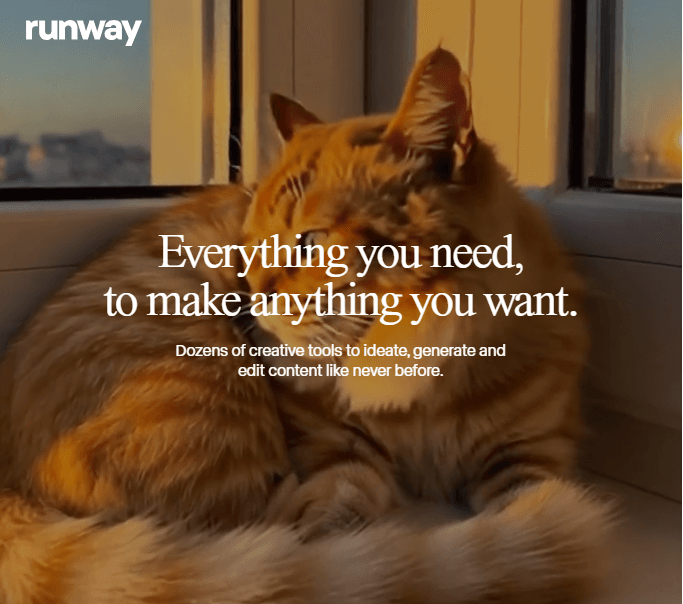
Example prompt:
“A baby dragon playing in a garden in studio quality.”
You will actually get a video of that.
Best For:
- Creators wanting unique artistic visuals
- Music video creators
- Short-film experiments
Pros:
- Most advanced AI video generator today
- Can create shots that don’t exist anywhere
Cons:
- Not beginner-simple
- Requires patience for experimenting
7. Descript
Best for: YouTube talking videos, podcasts, courses
Descript lets you edit video the same way you edit text. Delete a sentence in the transcript as the video cuts automatically.
Key Features:
- Text-based editing
- AI voice cloning
- Auto filler-word removal
Pros:
- Perfect for educators and speakers
Cons:
- Not focused on creative video design
8. Adobe Express + Firefly AI
Best for: Creative professionals who want smooth, clean branding visuals
Adobe Express is Adobe’s simpler alternative to Adobe Premiere. Firefly AI helps generate images and backgrounds in high quality.
Strengths:
- More professional aesthetic than InVideo
- Strong typography and color styles
9. Wave.video
Best for: Marketing agencies and small business advertising

Wave.video provides ready-made templates specifically for:
- Facebook Ads
- Instagram Promotions
- Product Announcements
It focuses on sales-style video output more than storytelling.
Pros:
- Great analytics for campaigns
- Built-in resizing per platform
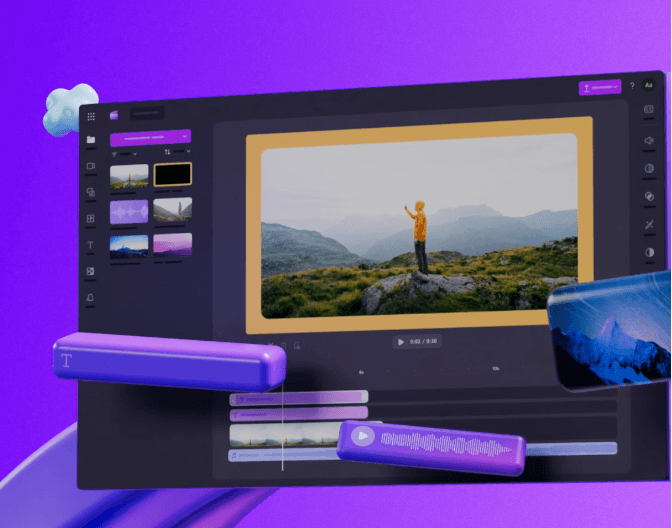
10. Clipchamp
Best for: People who want a free beginner video editor with no confusion
Clipchamp by Microsoft is simple, clean, and does the basics well.
Pros:
- 100 percent free core features
- Works offline
Cons:
- Not AI advanced like Runway or Pictory
Which InVideo Alternative Is Best For You? (Decision Guide)
Choose based on your main goal:
| Your Goal | Best Tool | Why |
| Turn scripts into videos | Pictory AI | Fast text-to-video automation |
| Easy, branding-friendly social content | Canva | Simple UI + beautiful templates |
| Talking videos or tutorials | Veed.io / Descript | Subtitles + speech editing |
| Creative visual storytelling | Runway ML | Fully AI-generated visuals |
| Business ads & promotions | Wave.video / FlexClip | Clean business templates |
| You just want something free & simple | Clipchamp | Easy and quick |
How These Tools Compare to InVideo AI
When evaluating InVideo AI against alternatives like Pictory and Canva, the key differences come down to workflow style, editing flexibility, and pricing value.
InVideo AI offers a more advanced editing environment with timeline controls, voice cloning, and large stock libraries, making it powerful but slightly more complex to learn.
Pictory, on the other hand, focuses on simplicity and speed: it’s excellent for turning scripts or blog posts into videos quickly, though it offers less granular editing.
Canva sits somewhere in the middle, providing highly intuitive drag-and-drop editing with strong brand and design tools, but less automation in turning text prompts into full videos.
Your best choice depends on whether you prioritize ease of use, visual style flexibility, output quality consistency, pricing, or creative control.
Frequently Asked Questions
1. What is the best free alternative to InVideo?
For most people, Canva or Clipchamp are the easiest free alternatives.
2. Which tool is best for YouTubers?
Pictory AI and Veed.io work well depending on your editing style.
3. Which tool is best for TikTok and Reels?
CapCut (paired with Canva for visuals) is the most effective combination.
4. Which tool has the strongest AI creativity?
Runway ML.
Conclusion
Choosing the best InVideo AI alternative depends on your style, skill level, and what kind of videos you want to create.
If you want something beginner-friendly and free, go with Canva or Clipchamp. If you create script-based or educational videos, Pictory and Descript are ideal. If you want to explore fully AI-generated artistic visuals, Runway ML is unmatched.
The key is to start small, make a test project, and see which tool feels natural to you.
Video creation is about flow. The best tool is the one that makes your creativity easier, not harder.