
Can Claude edit videos for free? As artificial intelligence transforms digital media creation, millions of creators, marketers, and video editors are turning to Anthropic’s flagship AI model, Claude, hoping to automate tedious timeline trims, cuts, dynamic captions, and visual effects.
The direct answer is No: Natively, Claude cannot directly upload, view, or export raw .mp4 or .mov video files on its own. Anthropic builds Claude primarily as an advanced text and vision model capable of processing code, complex documents, and static images.
However, yes, Claude can edit videos for free when connected to third-party tools via Anthropic’s Model Context Protocol (MCP) or when generating code-driven motion graphic animations using features like Claude Motion.
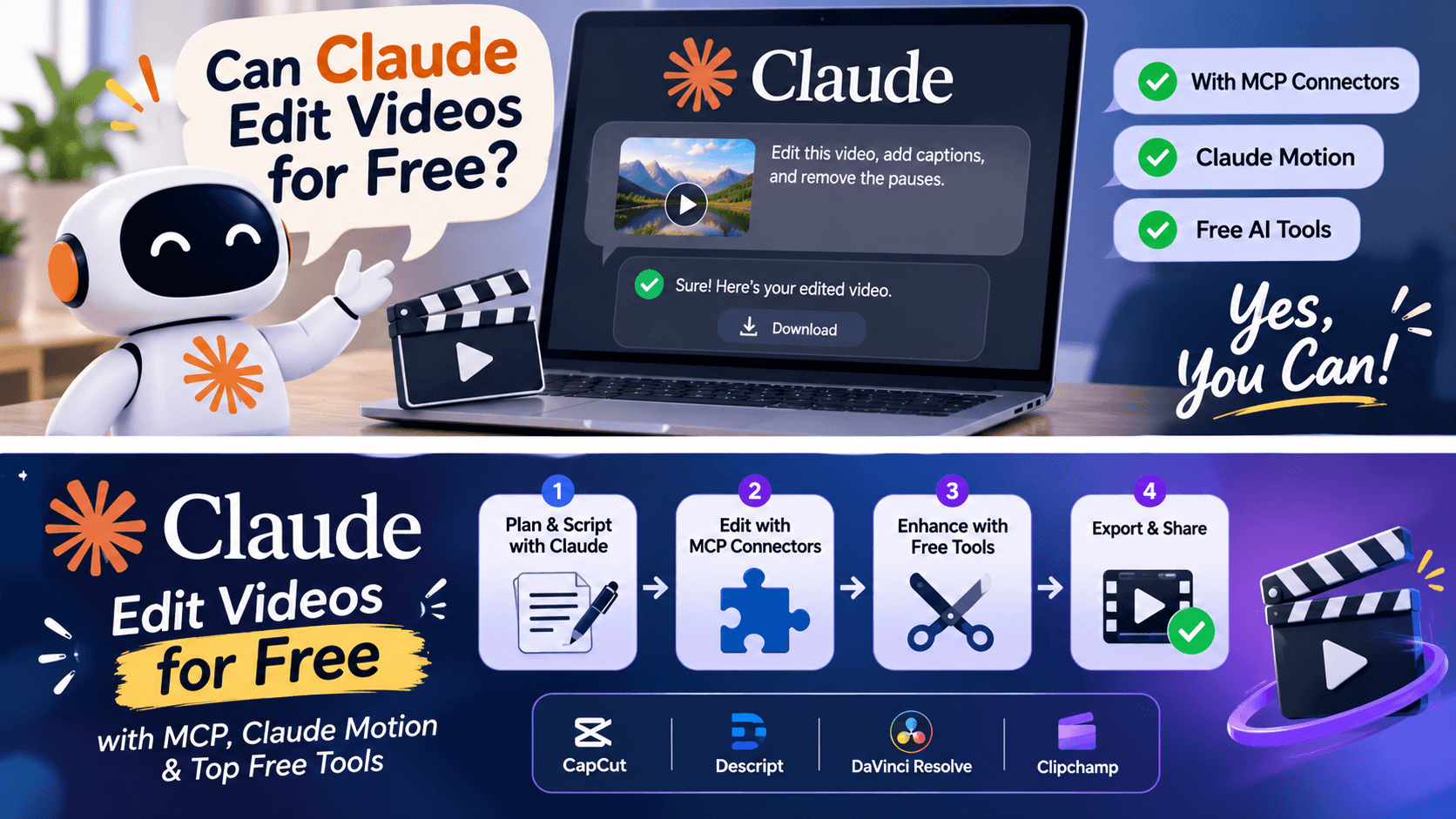
In this comprehensive guide, we break down what Claude can and cannot do natively, how free MCP connectors enable AI video editing inside Claude, and what alternative 100% free AI video editors you can leverage today.
Can Claude Edit Videos for Free Natively? Understanding the Limits
When users ask, “Can Claude AI edit my videos?“ they usually envision dropping raw camera footage into the chat window and prompting: “Remove the awkward pauses, add captions, and export a 1080p MP4 file.”
Natively on Claude.ai, that direct video rendering functionality does not exist.
Native Capabilities vs. Video Native Output
| Capability / Feature | Native Claude Support | Notes & Workarounds |
| Direct .mp4 File Upload | ❌ No | Accepts images (.png, .jpg), PDFs, CSVs, and code files. |
| Video Scripting & Storyboards | ✅ Yes | Exceptional at structuring scenes, timing, and dialogue. |
| Subtitle/VTT File Generation | ✅ Yes | Generates raw text transcriptions and .srt subtitle timing files. |
| Direct Timeline Rendering | ❌ No | Cannot render video tracks natively without external connectors. |
| MCP Video Editing Connectors | ✅ Yes (Free tier) | Connects to external tools (e.g., Eddie AI, Sume) to execute cuts. |
| Motion Graphics Generation | ✅ Yes (Claude Motion) | Generates code-based SVG/canvas animations inside Artifacts. |
Claude is designed as a multimodal Large Language Model (LLM). It does not possess a native video rendering engine like Adobe Premiere Pro or DaVinci Resolve. However, its advanced reasoning allows it to function as the strategic brain of a video editing setup when connected to external execution engines.
“If character animation and 3D movement are part of your video pipeline, you might also want to learn How to Use Viggle AI to animate static photos into dynamic video clips.”
How to Edit Videos for Free in Claude Using MCP Connectors
While Claude itself doesn’t process video pixels on its servers, Anthropic’s Model Context Protocol (MCP) allows Claude to communicate with external video editing software directly inside your conversation window.
How the MCP Video Editing Workflow Works
- Connect an MCP Server: Set up an open-source or supported video editing MCP server (such as Eddie AI, Sume, or custom python rendering scripts) in your Claude desktop or API environment.
- Import Media: Your raw footage is indexed, transcribed, and timestamped by the local or connected media server.
- Prompt in Plain English: Instruct Claude in chat (e.g., “Cut out every silence longer than 1.5 seconds and build a 60-second summary of the key takeaways”).
- Automated Cut & Export: Claude sends structured XML, EDL (Edit Decision List), or programmatic JSON commands to the editing connector, which cuts the video and returns the rendered file.
Is the Claude editor free when using MCP?
Custom MCP connectors work on all Claude plans, including the Free Tier. While some commercial third-party rendering APIs may have usage limits, setting up open-source local MCP video connectors costs nothing extra.
Claude Motion: Creating Free Animated Videos with Code
Beyond external connectors, Anthropic introduced Claude Motion capabilities within its Artifacts ecosystem.
Claude Motion enables creators to generate short animated explainer videos, product walkthroughs, and motion graphics without needing dedicated animation software. Because these animations are built programmatically (using HTML5 Canvas, SVG, and JavaScript animation libraries), you can prompt Claude to adjust keyframe timing, colors, or text instantly and render the result directly into video formats.

User Prompt: “Create a 15-second animated explainer video showing how AI processes big data into visual insights. Make it modern with smooth transitions and a dark theme.”
Claude generates the underlying animation code inside an Artifact window, previews the motion graphics live, and allows you to export the rendered animation as an .mp4 file for free.
“For creators who want to transform static graphics into motion rather than writing code from scratch, explore our guide on the Top AI Image to Video Generators Worth Trying.”
Is There a Free Way to Edit Videos with AI? Top Alternatives
If you require standard timeline editing such as multi-track slicing, background removal, voiceover synchronization, and visual effects that combining standalone free AI video editors with Claude’s scripting power gives you a professional, zero-cost workflow.
Comparison: Standalone Free AI Video Editors vs. Claude MCP
| Tool / Platform | Free Tier Offering | Best Use Case | Native Video Export? |
| Claude + MCP Connectors | Free tier connector support | Prompt-based transcript & dialogue cuts | ✅ Yes (via connector) |
| CapCut AI | 100% Free basic plan | Auto-captions, background removal, short-form reels | ✅ Yes |
| Descript | Free monthly transcription/editing | Edit video tracks by modifying text transcripts | ✅ Yes |
| DaVinci Resolve | Free comprehensive software | Professional color grading, AI masking, full studio suite | ✅ Yes |
| Clipchamp | Free 1080p exports | Quick web-based editing, basic AI text-to-speech | ✅ Yes |
When searching “Is there a 100% free video editor?”, tools like DaVinci Resolve (for advanced desktop editing) and CapCut (for rapid short-form social content) remain the industry standards. Using Claude to draft high-retention scripts and precise scene notes alongside these editors delivers an end-to-end production pipeline.
Practical Guide: The Ultimate Free AI Video Production Workflow
To build a complete video production pipeline at zero cost, pair Claude’s reasoning capabilities with dedicated free editing platforms:
Step 1: Scripting and Hook Optimization (Claude)
Prompt Claude to draft high-retention video scripts complete with visual cues:
“Write a 60-second YouTube Short script about ‘3 AI tools changing video editing.’ Include visual notes for B-roll in brackets and a strong retention hook in the first 3 seconds.”
Step 2: Storyboarding and B-Roll Selection (Claude)
Ask Claude to break down your script into a frame-by-frame shot list with precise timecodes and asset suggestions.
Step 3: Audio & Caption Generation (Free AI Tools)
Export the script into free text-to-speech generators or record your own voiceover. Use CapCut or Descript to generate automated, styled captions from the audio track.
Step 4: Assembly & Rendering (Free Video Editor)
Import your assets into CapCut, Clipchamp, or DaVinci Resolve to assemble the timeline, apply transitions, and render your final video in 1080p or 4K.
“You can also leverage dedicated text-to-video platforms; read our detailed Fliki AI Review & Guide to see how automated voiceovers and media clips can be generated effortlessly.”
Frequently Asked Questions (FAQs)
1. Can Claude AI edit my videos directly on Claude.ai?
No, Claude cannot natively parse, cut, or render raw video files directly within its main web interface. You must connect Claude to an external video editing server using Model Context Protocol (MCP) or use Claude Motion for code-based animations.
2. Is the Claude editor free to use?
Claude’s core web application is free to access. While Anthropic offers paid tiers (Pro, Team, Enterprise), custom MCP integration for third-party editing tools and Artifact animation generation work within standard free tier usage limits.
3. Is there a 100% free video editor that uses AI?
Yes. Platforms like CapCut (web and desktop) offer free AI tools including auto-captions, text-to-video background removal, and smart reframing without requiring a paid subscription. DaVinci Resolve also provides an enterprise-grade free desktop version equipped with advanced neural engine features.
4. How does Claude Motion work for making video clips?
Claude Motion is a capability inside Claude Artifacts that builds code-driven animations from text prompts. It animates text, vector shapes, and graphics directly inside the web interface and allows users to export the final animation as an MP4 clip.
5. Can Claude write scripts and timecodes for Premiere Pro or Final Cut?
Yes. Claude can generate XML, EDL (Edit Decision List), or structured JSON data from text transcripts, which can then be imported directly into editing software like Adobe Premiere Pro or DaVinci Resolve to make automated cuts.